|

 
| |
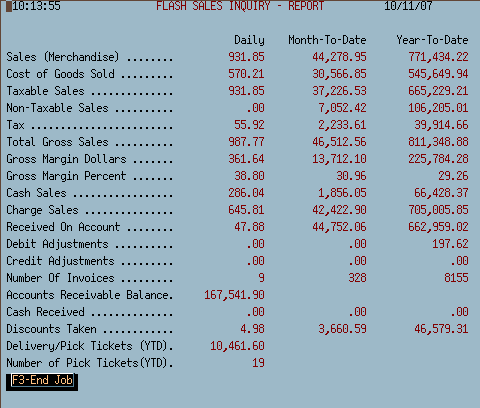
MI #2 - Flash Sales Inquiry
Purpose
- This option displays up to the last second daily, monthly & yearly sales
figures.
Questions
- Q. Does this display live or batch data?
A. All
information displayed is current as of the last ticket, credit, adjustment,
payment.
- Q. How often is this updated?
A. This screen is
updated as soon as the sale, transaction or payment is completed.
- Q. How can I print this information?
A. Press
your print screen key on your keyboard. The screen will print to your
default printer. Some keyboards are labeled as follows: Prt Scr, Print,
Print Screen, Print Scr, etc.
- Q. My screen didn't update last night, what happened?
A. Most likely the backup didn't run or the nightly
processing didn't complete. Also, check to see if there are any
messages in the work with active jobs queue (WRKACTJOB).
- Q. My screen didn't clear out the monthly information, what happened?
A. Most likely no one completed month end processing. Check MP 2, 6
(Period end and update of files) and see what the last month closed was.
MI 2 - Flash Sales Inquiry Example
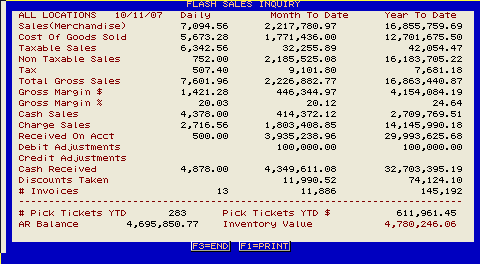
2000 Version - MI 2 Display

2006 Additions/Changes to MI 2
- Bottom of the screen now displays current A/R Balances, Inventory
Value and value of pending sales (Picking/Delivery tickets)

|