|

 
| |
MP 19, 12 Nightly Backup Procedure
Previous Menu Versions
- IBS Version 3a - MP 19, 12
- IBS Version 3 - MP 1, 6
- IBS Version 2 and below - MP 1, 12
Types of Backups
- Automated backup - this runs automatically and prints all reports
for the morning.
- Manual backup - you setup your own backup and assign the time it
will run (MP 2, 12 or MP 2, 6)
Automated Backup
Automated jobs that run
Manual Backup
Running a manual backup
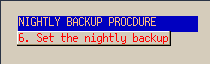
- go to MP 1, 12 (on some systems it will be MP 1, 6)
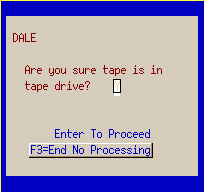
- Verify the tape has been inserted then answer the tape messages.
There are 2 separate tape messages to answer.

- Enter the printer ID where the reports will print. Normally
"P1".
- If you do not put a printer ID into the screen you may get an error
message. Press ENTER until you return to the menu then try again.
- Enter the time to start the backup. This is entered in military
time so 11:00pm would be keyed in as 23:00.

- Do an 'F4' to submit the job.
Manual backup Jobs that run
- pgm-DAYC01 (This is your nightly reports & processing)
- pgm-DAYC02 (This is your nightly backup)
|