UBI Scanner
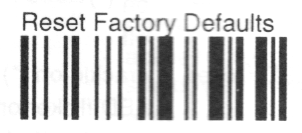
Reset to Factory Defaults
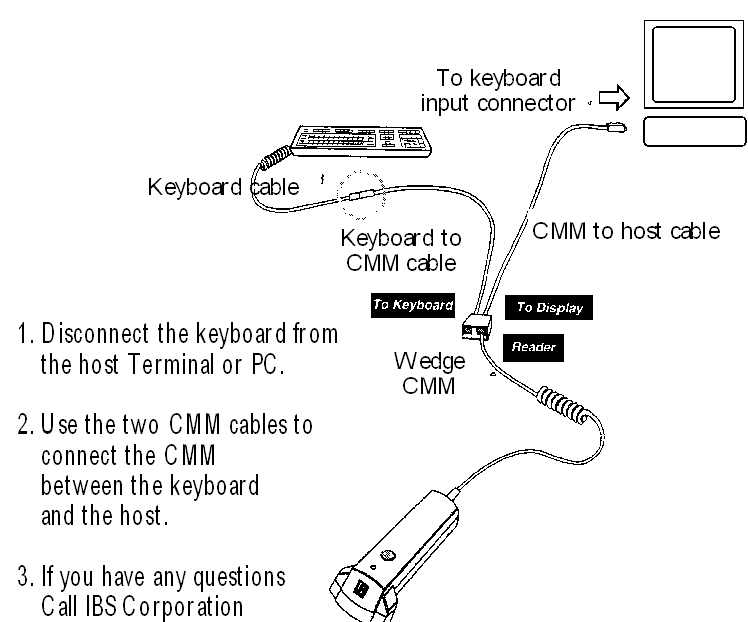
Configuring A SCANPLUS ER SCANNER TO AN AS/400 SYSTEM
Configuring your Scanner
1. PAGE 1-6- SCAN RETURN TO FACTORY DEFAULT PARAMETERS
* NOTE IF THE SCANNER WILL NOT SCAN THEN TURN OFF THE TERMINAL AND TURN IT BACK
ON AGAIN
HOLDING THE SCANNER OVER THE <RETURN TO FACTORY DEFAULT...>
THIS WILL ALLOW IT TO BYPASS ANY ERROR MESSAGES.
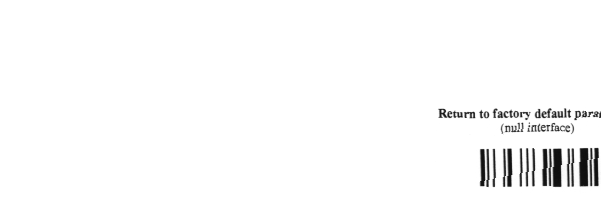
2. PAGE 2-17 - SCAN DEFAULT = N 200 (QUERTY AT3)
* NOTE THIS WILL CAUSE THE KEYBOARD TO BE RECOGNIZED BY THE TERMINAL
IF THE SYSTEM HAS NOT ALREADY DONE SO.

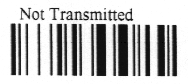
3. PAGE 4-3- SCAN ALL FOUR OF THE FOLLOWING:
☞ CHECK DIGIT UPC A NOT TRANSMITTED,
☞ CHECK DIGIT UPC E NOT TRANSMITTED,
☞ CHECK DIGIT EAN 13 NOT TRANSMITTED,
☞ CHECK DIGIT EAN 8 NOT TRANSMITTED



4. PAGE 4-4- SCAN BOTH OF THE FOLLOWING:
☞ NUMBER SYSTEM UPC A NOT TRANSMITTED,
☞ RE-ENCODING UPCE/UPCA/EAN 8 UPCA TRANSMITTED AS AN UPC A
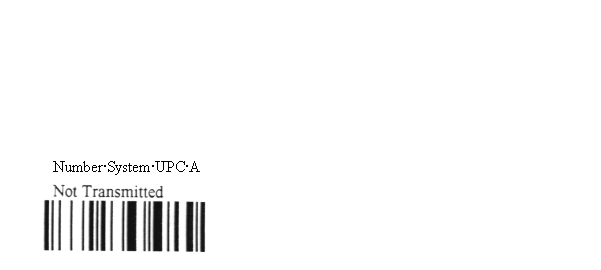

5. PAGE 7-7 - SCAN AIMING BEAM NOT ACTIVE, READING ACTIVE WHILE PRESSED, TURN
OFF AFTER A GOOD READ

6. PAGE 7-10 - SCAN SAVE CURRENT CONFIGURATION

What to do if...
Q1. ...the scanner will not turn on?
A1. Sign off all screens of the system terminal, turn off the system terminal,
turn on the system terminal holding the scanner over page 1-6 as per Step 1 and
proceed to reconfigure the scanner.
Q2. ...the scan light will not turn off?
A2. Proceed directly to Step 5 and continue to Step 6. This will reconfigure the
scanner and save the information.
Q3. ...the scanned item does not appear?
A3. Note the stock item, then manually enter the item, later check to see if the
stock item is recorded in the system (“I U” Option “4”).
* You may reach IBS Lumber Software Inc at (800) 200-8244 if you have any question or
need assistance installing one of our system Scanners for the AS/400.
** NOTE - ALL ITEMS TO BE SCANNED ARE IN ITALICS WITH <> SYMBOLS TO DISTINGUISH
THEM
*** ALL INFORMATION UNLESS OTHERWISE STATED COMES FROM United Barcode
Industries: Scan Plus ER User's Manual. Edition 1.1 November, 1994. © 1993/94
UBI Part N: 0-600011-00-10.
| 



