| |
Multi-Location |
Multi-Company |
AS400
Sign-on |
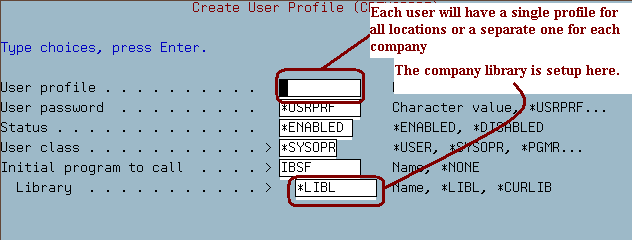
Each user can has one initial a
sign-on for every company MU 17, 1 (Setup User) |
Each user has a different sign-on for each
company MU 17, 1 (Setup Users) |
| |
 |
IBS Security
Code |
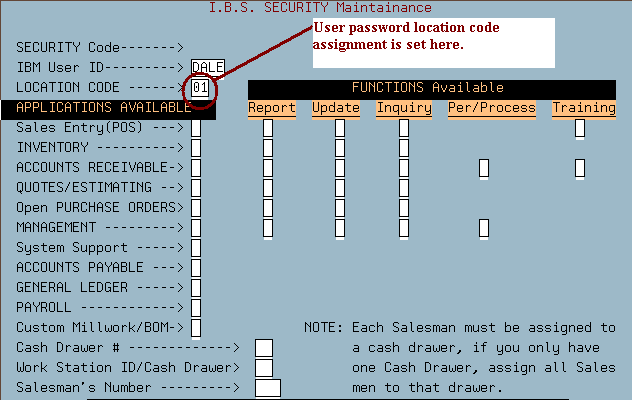
Each user has a separate security
code for each location MU 17, 3 |
Each user has a separate security code for
each location MU 17, 3 |
| |
 |
Workstation
Location |
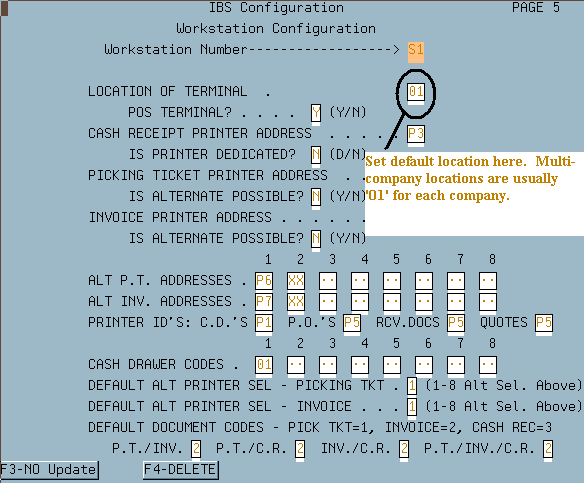
Setup each workstation with a
default location MU 2 (Page 5) |
Setup each workstation with a default location
MU 2 (Page 5) |
| |
 |
| Example 1 |
This user wants a password for
locations one and two but wants his workstation default to be
location 02
- MU 17, 1 - Setup a single password for signing on the
system
- MU 17, 3 - Setup a separate password for each location
that the employee needs access into
- MU 2 - Setup the default location for each display
session.
|
This user wants a password for
locations one and two but wants his workstation default to be
location 02
- MU 17, 1 - Setup a separate password for signing on
each company
- MU 17, 3 - Setup a separate password for each company
and/or location that the employee needs access
- MU 2 - Setup the default company for each display
session
|
| |
|
|