|

 
| |
AI 21, 20-22 - Unpaid Invoices
Overview
Unpaid invoices by date, vendor number and name
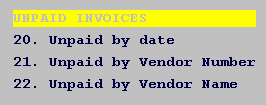
What does this option do?
This option provides a complete list of all unpaid or credit balance A/P
inoivces.
When should I take this option?
Select this option whenever you need to review all unpaid A/P invoices.
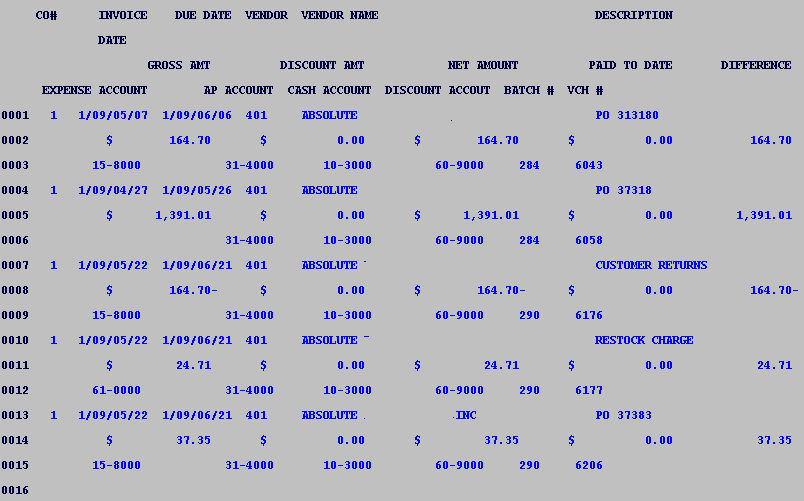
What fields are displayed
- COMPANY NUMBER - Your
company number displays
- Invoice DATE - Date invoice
was billed to your company.
- Due Date - Date the invoice was entered as due.
- VENDOR NUMBER -
Vendor number
- VENDOR NAME - Name of
vendor paid
- Amounts
- Gross amount - invoice total.
- Discount amount - total discounts.
- Net amount - total amount due after net amount.
- Paid to date amount - total that has been paid (if any).
- Difference - Amount remaining or credit amount on this invoice.
- DESCRIPTION -
Description (if any).
- Account Numbers - all corresponding account
numbers with this transaction.
- Expense Account Number
- A/P Account Number
- Cash Account Number
- Discount Account Number
- Batch number - the system
assigned 3 digit batch number displays.
- Voucher number - the system
assigned 4 digit voucher number displays.
Examples
AI 21, 20 - Example by date
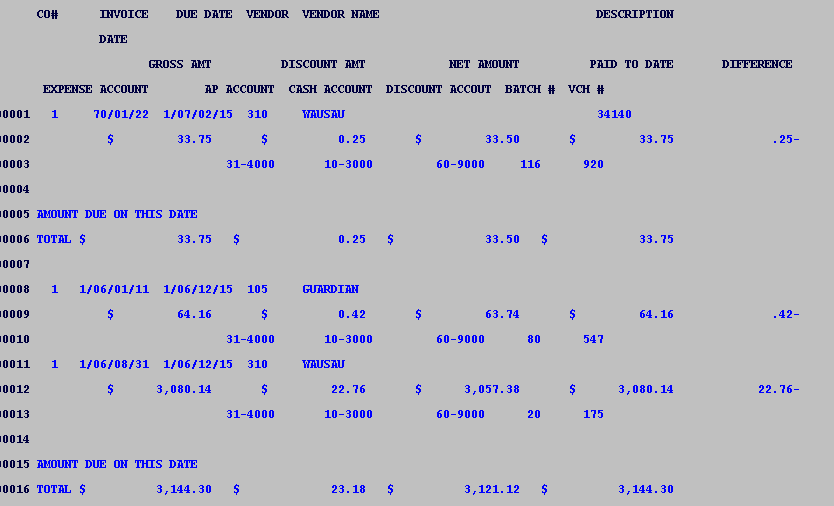
AI 21, 21 - Unpaid by Vendor Number
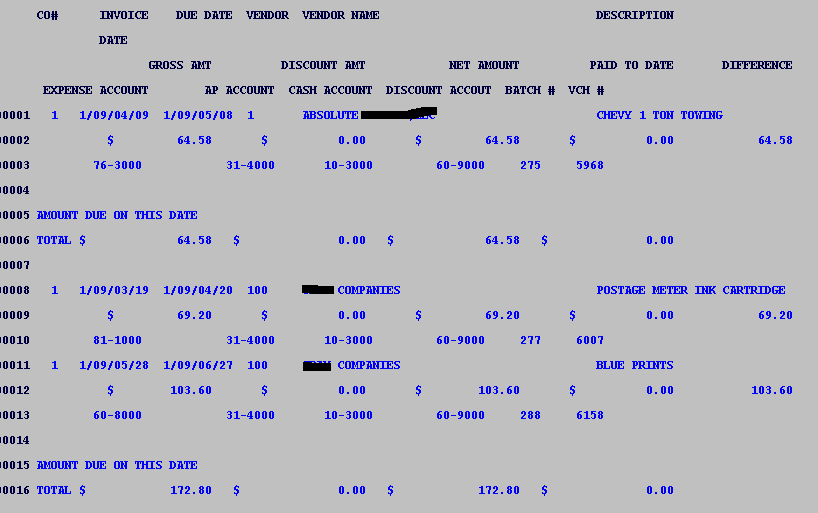
AI 21, 22 - Unpaid by Vendor Name
|

