|

 
| |
AI 21, 1-13 Checks by Month
Overview
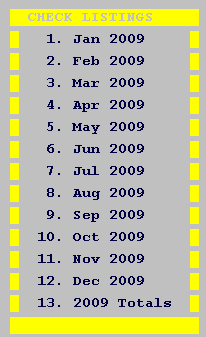
What does this option do?
This option provides a quick complete reference displaying what checks were
written during the selected time period or year.
When should I take this option?
Select this option whenever you need a quick review of processed checks.
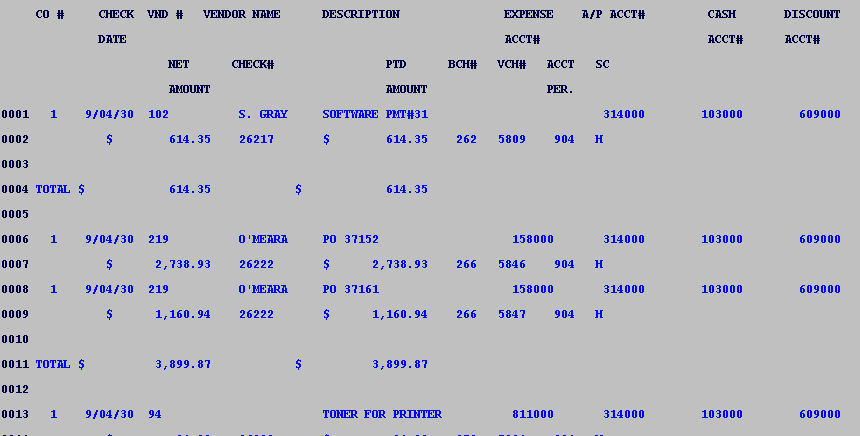
What fields are displayed
- COMPANY NUMBER - Your
company number displays
- CHECK DATE - Date check was
issued
- VENDOR NUMBER -
Vendor number
- VENDOR NAME - Name of
vendor paid
- DESCRIPTION -
Description (if any)
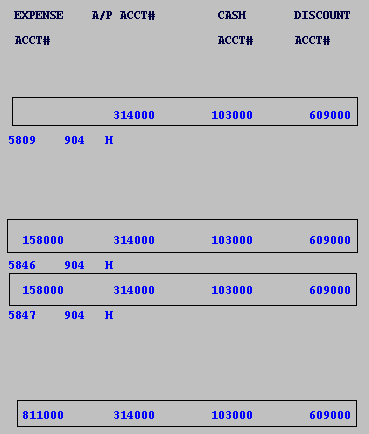
- Account Numbers - all corresponding account
numbers with this transaction.
- Expense Account Number
- A/P Account Number
- Cash Account Number
- Discount Account Number
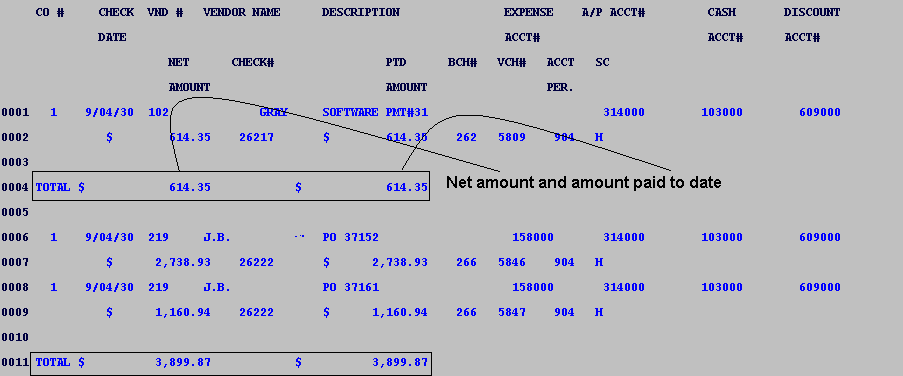
- Net Amount - Total amount
due after discount.
- Check number - Check number
for this transaction
- Paid to date amount - total
paid on this invoice. All totals are current.
- Batch number - the system
assigned 3 digit batch number displays.
- Voucher number - the system
assigned 4 digit voucher number displays.
- Accounting period - 4 digit
field in YYMM [Year, Month] format.
- Status code
- A = Posted into an open period
- H = Posted and period has been successfully closed
Examples
Account Numbers
Fields Shown
- Expense account
- A/P account
- Cash account
- Discount account
Example showing net and paid-to-date totals
|

