IBM Server Site

IBS Home Up Axel Comparison Axel Status Line AX3000 Setups

Axel Thin Client Workstation

Tech Support

  • http://www.axel.com/usa2/
  • AXEL Inc - 28944 STATE ROAD 54 - WESLEY CHAPEL, FL 33543
  • Tel: +1 (813) 307-0111
  • Fax: +1 (813) 994-2180
  • Toll Free: +1 866 278-2935 ext. 205

Axel FAQs

Enter Axel Setup

  • Revision 9832e or Higher
    Use the following keystroke combination to enter the interactive set-up:
    <Ctrl><Alt><Esc>
  • Note: for AS/400 keyboard press <Rest><Alt><SetUp>.
    Previous Revisions
    • Set-up is in two parts:
      Terminal set-up: press <Ctrl><Alt><Esc> to enter the current session configuration
    • TCP/IP set-up: press <Ctrl><Alt><*> to enter the TCP/IP configuration

WARNING

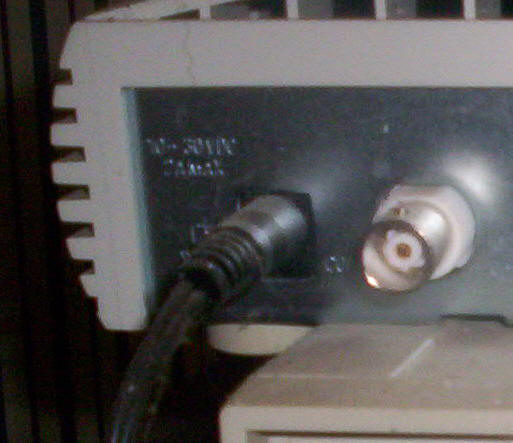
  • Using the WRONG POWER SUPPLY will blow your unit. Make sure the correct one is installed!!!!

[back to top]

IBS Lumber and Building Material Software Copyright © 2006 IBS Lumber Software Inc (TM)
Last modified: November 7, 2011

IBS Sales & Support 888-640-1252
Main Office 888-640-1252
Fax IBS 877-712-8937

All pages contained in this support website are not intended for general public distribution. Any material here can be considered private, confidential with various copyrights and restrictions against public release. You 'the browser' cannot legally release this information for general public distribution.

remote support: http://www.gotomeeting.com | remote support download program