IBM Server Site

IBS Home Up

What updates the General Ledger

Quick G/L Posting Reference | Daily Inv Register | Accounts Payable | General Ledger | Posting Examples | Types of Accounts


Quick G/L Posting Reference

Everything that posts directly to your G/L is marked in GREEN

IBS POST

  • Post Daily Inventory to G/L MP 1, 5 (Invoice Register)
    This posts your inventory changes directly to G/L
    Precheck your Pre-invoice margin report prior to posting.

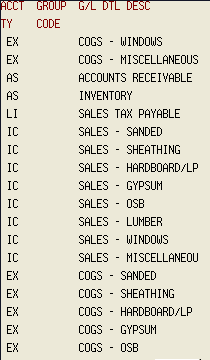
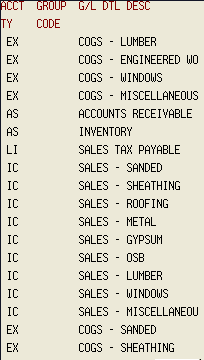
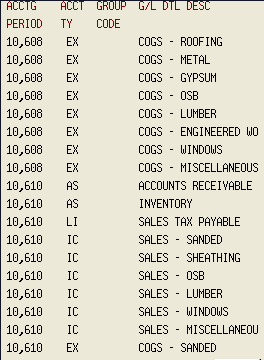
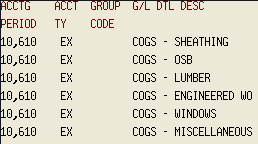
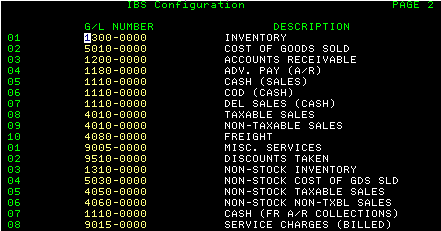
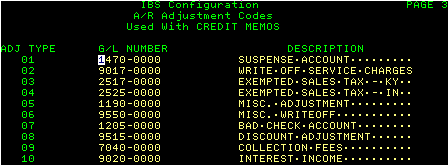
    Sales, Inventory & Receivables pulls from the following G/L Account Number locations

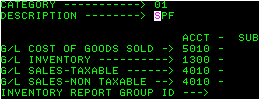
    • Category Sales IU, 9
    • Inventory Sales MU, 2 (Page 2)
    • Account Receivables Adjustments MU, 2 (Page 3)
    • Accounts Receivables MU, 2 (Page 2, line 3)
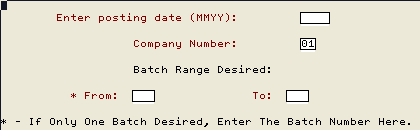
  • Post Monthly Sales to G/L MP 2, 9 (Post Sales to G/L)
    This posts your monthly sales totals to your G/L
    Precheck your monthly invoice register AND the pre-posting transaction reports prior to posting.
    • Please note that NO sales figures that have not been passed through an invoice register will be posted!

A/P

  • Check Reversal AU 5, 21
  • Post Purchases/ Prepaids AU 3, 1, 4
  • Voucher Reversal AU 5, 20
  • Manual Check Entry AU 5, 22

G/L Journal Vouchers

  • Post Journal Transactions GU 3, 4
  • Post Standard G/L Journal Entries GU 3, 6
  • Post Recurring G/L Journal Entries GU 3, 8
  • Post Statistical Transactions GU 3, 10, 4

Chart of Accounts GU 5, 1

  • [back to top]


  • Where Do the G/L Numbers Come From?

    • Daily Invoice Register
      • Pre-invoice margins do not post any information to G/L
        Sales that have not been run through your invoice register do not post to your G/L
      • MP 1, 5 (Daily Invoice Register) - ONLY System sales run through your Daily Invoice Register post to G/L
      • Setup your G/L Accounts in MU #2 (Page 2)
      • Setup your Receivables Adjustment accounts in MU #2 (Page 3)
      • IU #9 (Inventory Category Setup) Category Setup assigns sku items within category to report to a specific category

        Cost reports to G/L Cost of Goods sold account
        Inventory reports to G/L Inventory account
        Taxable Sales Report to G/L Sales-Taxable account
        Non-Taxable Sales Report to G/L Sales-Non Taxable account

        [back to top]

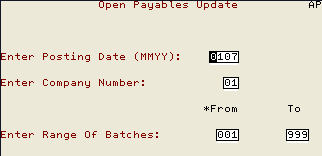
    • Accounts Payable Changes
      • Purchase Entries
      • Check Disbursements
      • Voucher Reversal
      • AU 3, 1, 4 (Post Purchases/ Prepaids)

    [back to top]

    [back to top]


    Posting Examples

    SOURCE JOURNAL # SOURCE

    CHECK #

    IBS INVOICE REGISTER

    GJ10-000

    IBS POST

    NAME OF PERSON
    SETTING BACKUP
    A/P (ACCOUNTS PAYABLE)
    • PURCHASES
    PJ000000
    (Purchase Journal)

    A/P

    A/P (ACCOUNTS PAYABLE)
    • CASH DISBURSEMENTS
    CD000000

    A/P

    A/P (ACCOUNTS PAYABLE)
    • CHECK REVERSAL
    A/P 000000

    BLANK FIELD

    A/P (ACCOUNTS PAYABLE)

    VOUCHER REVERSAL

    PJ000000

    VREV nnnn

    BLANK FIELD

    G/L (GENERAL LEDGER)

    CHECKBOOK

    G/L (GENERAL LEDGER)

    CHECKBOOK

    G/L (GENERAL LEDGER)

    JOURNAL ENTRY (JE)

    JE

    G/L (GENERAL LEDGER)

    MANUAL

    GJ00-000

    MANUAL

    G/L (GENERAL LEDGER)

    PAYROLL

    GJ00-000

    01YYMMDD00

    G/L (GENERAL LEDGER)

    NO SOURCE INDICATOR

    CP -

    TJ -

    IBS G/L POST Examp

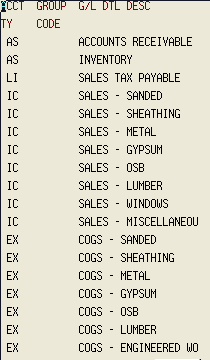
    Types of Accounts

    • EX = Expense Account
    • IC = Income (This information comes from your sales by category IU #8)
    • LI = a liability that will be deducted later from the company

    [back to top]
    [back to top]

    IBS Lumber and Building Material Software Copyright © 2006 IBS Lumber Software Inc (TM)
    Last modified: November 7, 2011

    IBS Sales & Support 888-640-1252
    Main Office 888-640-1252
    Fax IBS 877-712-8937

    All pages contained in this support website are not intended for general public distribution. Any material here can be considered private, confidential with various copyrights and restrictions against public release. You 'the browser' cannot legally release this information for general public distribution.

    remote support: http://www.gotomeeting.com | remote support download program