|

 
| |
Fix Order Header (DFU)
Step by Step
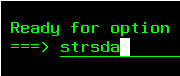
- Go to a command line
- type strdfu then press
ENTER
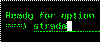
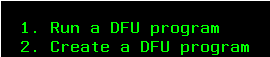
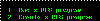
- select option 1 (Run a
DFU Program)
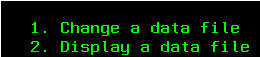
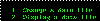
- select option 1 (Change a
data file)
- Fill in the following information. Please note that depending on
your software version the libraries (directories) may be different.
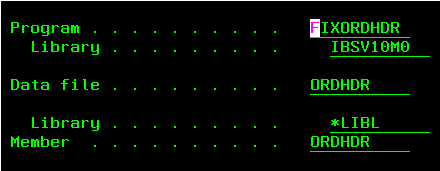
- Program - type FIXORDHDR
- Library - type IBSV10M0
(other possible versions include
IBSV9R2M6W, IBSV9R2M6E,
IBSV9R2M6C, IBSV9R2M6B, IBSV9R2M6A, IBSV9R2M6...)
- Data file - type ORDHDR
- Library - type *LIBL
- Member - type ORDHDR
- Next key in the order number you need to correct

- Finally fill in the corrections as follows
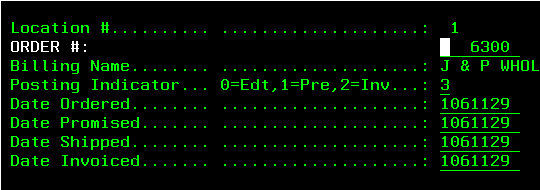
- Billing Name - you cannot change this field
- Posting indicator - type the
correct code
0 = this ticket is being
edited,
1 = this ticket is ready
for pre-invoice margin report,
2 = this ticket is ready
for invoice register,
3 = this ticket has been
processed through the invoice register
- Date Ordered, Promised, Shipped, & Invoiced - you SHOULD NOT have to
change these fields
this field is 7 digits numeric
example 1 - 12/31/2007 would be keyed 1071231 [century, year, month,
day]
example 2 - 2/29/2008 would be keyed 1080229 [century, year, month, day]
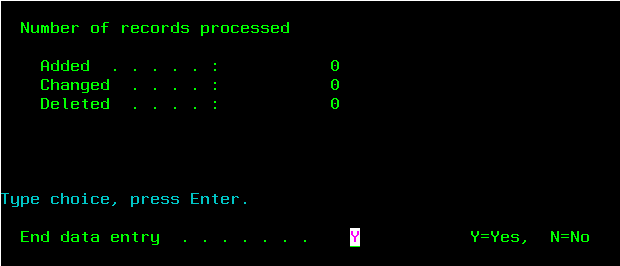
- Once finished press ENTER then
F3 then ENTER again to exit

|

.htm_cmp_ibs-support-theme010_bnr.gif)