|
Vertical Alignment
Lexmark 4227
| Lexmark 2480 |
Lexmark 2380 |
Pitch |
Horizontal
Alignment
Additional Resources
- Check these three items first:
- Lever on right hand side must be down,
- continuous form paper loaded and
- LCD reads READY
- Press QUIT
button
- Micro Up/Down
to the silver platen bar
- Micro Up
28x
[the number of times may vary]
- Please note that
micro down moves the print up
&
micro up moves the print down
- Press STORE
- Press Start/Stop
(the READY LCD will display)
*IMPORTANT NOTE: HORIZONTAL ALIGNMENT IS BASED ON WHERE THE
PRINTER TRACTOR IS MANUALLY POSITIONED
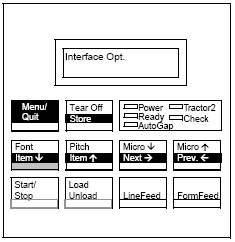
*IMPORTANT NOTE: HORIZONTAL ALIGNMENT IS BASED ON WHERE THE
PRINTER TRACTOR IS MANUALLY POSITIONED
[back to top]
- Print a single page see how many lines up or down
the print needs to move
- Tear off any excess paper in the back of the
printer
- Pull down the flap on the front control panel
- Press
Micro Down/Up until you have move the printer into the right position
- to move the print up do a Micro Down
(7x = 1 line)
- to move the print down do a Micro Up
(7x = 1 line)
- Press set
TOF to save the new position
- Close the control panel
- Test the printer (Repeat these steps until
completed)
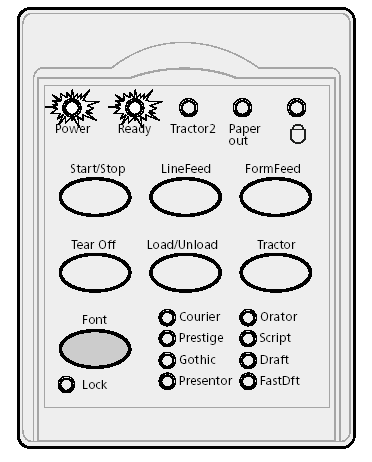 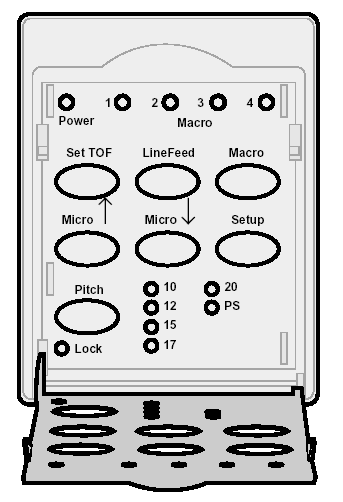
*IMPORTANT NOTE: HORIZONTAL ALIGNMENT IS BASED ON WHERE THE
PRINTER TRACTOR IS MANUALLY POSITIONED
[back to top]
- On the front of the printer, press
Alt + Park/Load to retract
the forms.
- The Paper Out light should blink.
- Press Alt +
Park/Load
again to advance the forms.
- The ready light should blink.
- The top edge of the form should be even with the top edge
of the metal strike plate.
- Press the Micro
Up/Down button to move the form into position.
- Press Start/Stop
to save.
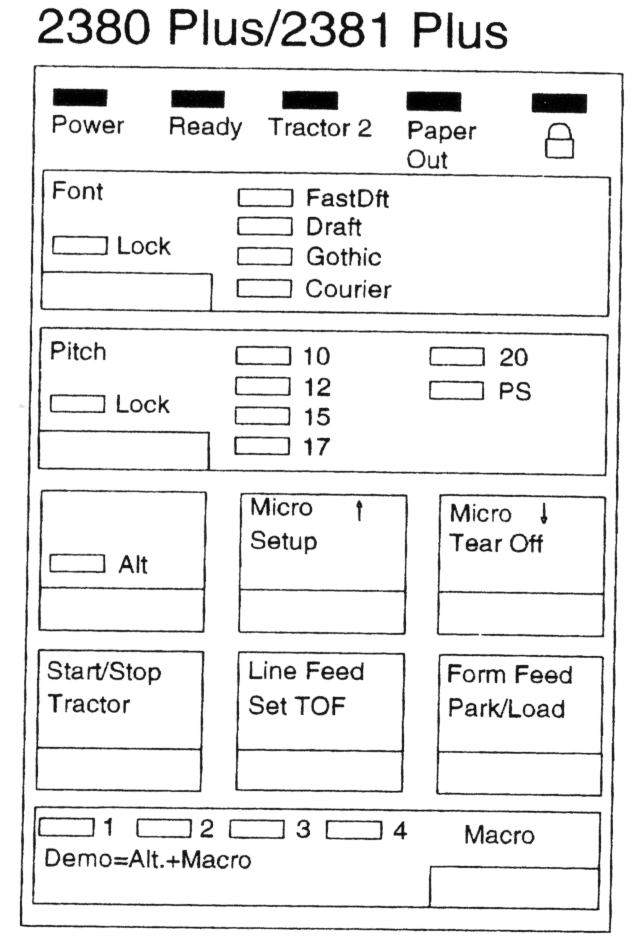
*IMPORTANT NOTE: HORIZONTAL ALIGNMENT IS BASED ON WHERE THE
PRINTER TRACTOR IS MANUALLY POSITIONED
[back to top]
- Invoices - 17 pitch
- Checks - 12 pitch
- Statements - 10 pitch
- Reports (8.5"x11") - 17 Pitch
- Reports (wide ruled) - 10 Pitch
[back to top]
HORIZONTAL ALIGNMENT IS BASED ON
WHERE THE PRINTER TRACTOR IS MANUALLY POSITIONED
- You can adjust the printer by unlocking the
tractor and sliding it from side to side.
| 



